These are my working notes on files I came across in Cyberpunk 2077’s archives while making a mod. I hadn’t worked on 3D animation or game production before, so some of the terminology here is my own best guess.
# File types and what they do
# xbm
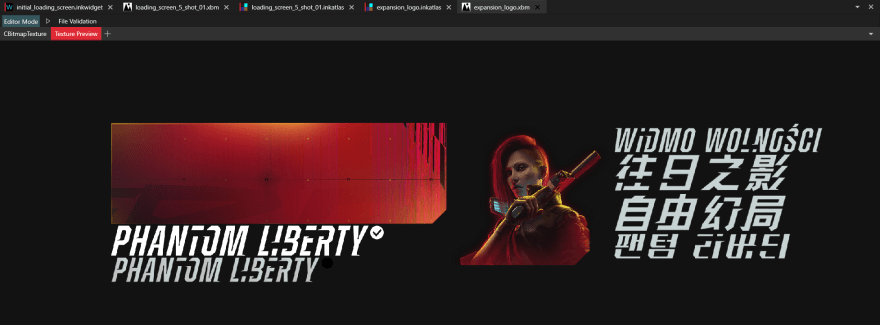
An .xbm stores image data used as a texture in the game. WolvenKit can preview it. Here’s expansion_logo.xbm :
# inkatlas
An .inkatlas seems to describe how to use separate regions of an .xbm image. Here’s expansion_logo.inkatlas , the atlas that goes with expansion_logo.xbm :

I expanded entry 3, logo , and compared it with entry 4, logo_EN :
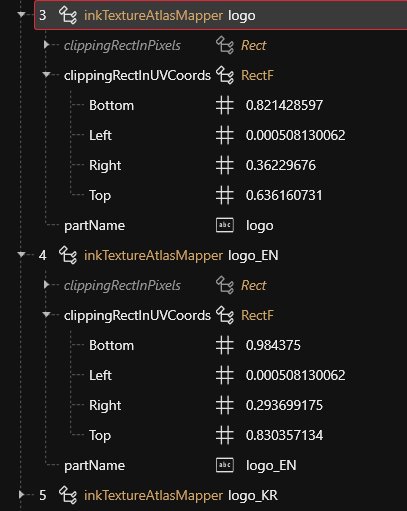
Bottom, Left, Right and Top look like the boundaries of a region in the texture, expressed as values between 0 and 1. Here’s how I worked out which images they might describe:
- The Bottom value for entry 3 is close to the Top value for entry 4, suggesting the two images sit one above the other.
- Those vertical coordinates are close to 1, which places them near the bottom of the texture.
- Both Left values are the same and close to 0, placing them at the far left.
My reading is that these entries correspond to the two English PHANTOM LIBERTY logos in the bottom-left corner.
# inkwidget
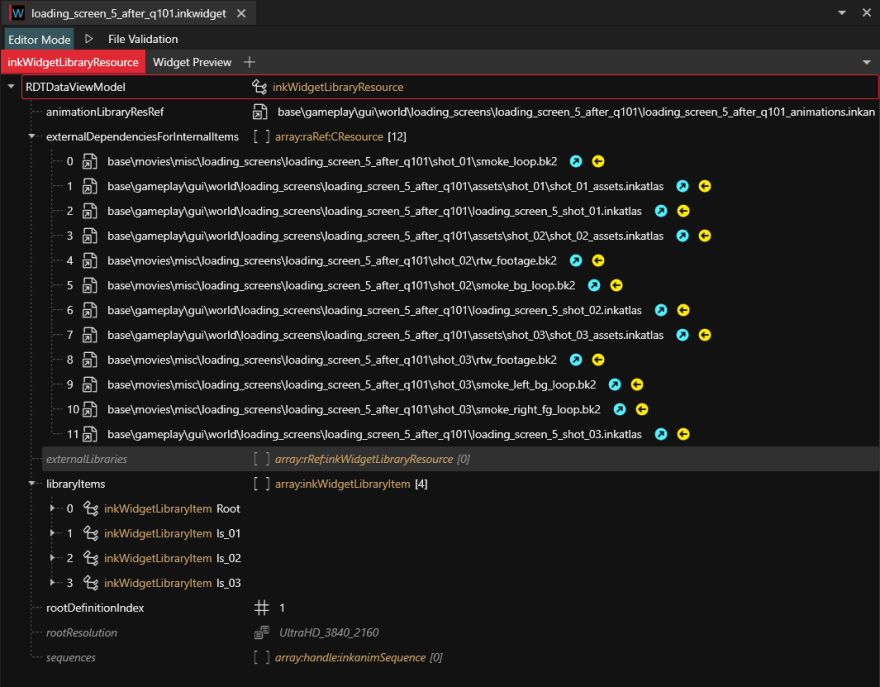
This file seems to describe the resources that make up an animation. Take loading_screen_5_after_q101.inkwidget : I think it corresponds to one of the little sequences that plays when you load a game from the main menu. These usually consist of three animations.
In the screenshot, externalDependenciesForInternalItems lists resources needed by the internal items. The entries under libraryItems describe the animations themselves. Here ls_01 , ls_02 and ls_03 correspond to the three loading animations.
I opened ls_01 for a closer look. Most of what interested me was under children . There are seven entries, and their names give some clues:
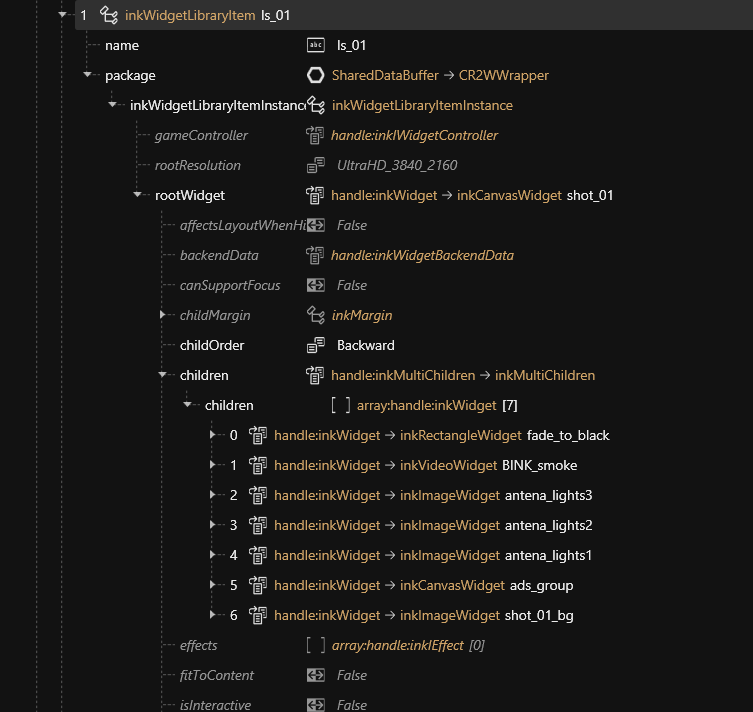
For example, shot_01_bg appears to be the background for this shot, and antena_light_1 a blinking signal light. Expanding an item reveals the resource it refers to.
In ls_02 , expanding BINK_RTW reveals a video resource:

To see what it plays, I selected Add to Project on the video resource and opened it with RAD Video Tools:

You might remember Ziggy Q and the NCPD spokesperson.
# What I found in the directories
# base\gameplay\gui\world\loading_screens\
The main menu background changes as you progress through the story. Several images also play in sequence when loading a save.
For example, here’s loading_screen_5_after_q101\loading_screen_5_shot_01.xbm :

The same image shows up on the main menu:
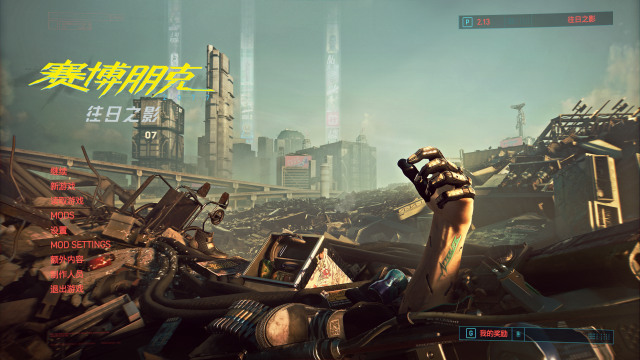
That led me to the corresponding .inkwidget as the place to change the main menu background.