I wanted Ciri in Night City – Main Menu Background Replacer to work on Cyberpunk 2077 version 2.0 and later, including the Phantom Liberty logo.
Update 1.1.0: In my 1.0.0 fix, the animations that play when loading a save disappeared. I’ve restored the sequence, although its final shot now uses the replacement main menu background.
The missing logo and missing loading sequence have different causes. The logo disappeared because the mod shipped older textures. The sequence disappeared because of how broadly the original mod replaced the background assets.
If you’re here for the loading animations, skip to the final section. That’s where I rebuild the mod from scratch.
Here’s the original mod at startup. The Phantom Liberty logo is missing:

# Fixing the logo
I used WolvenKit.
# Restore the Phantom Liberty logo
Open Mod Browser and locate the installed mod.

Right-click the base folder and choose Add selected items to project. In Project Explorer, find and delete menu_background.xbm and menu_background_1080p.xbm . These are the two files causing the problem.

# Pack the project
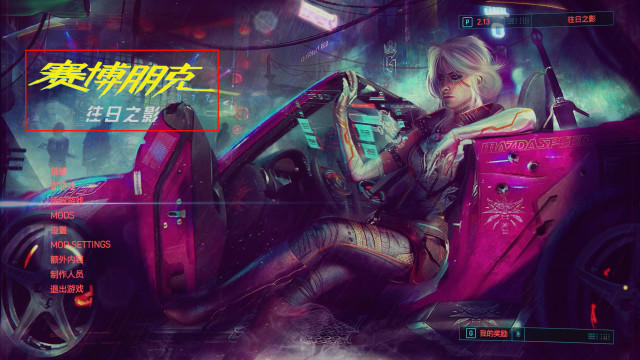
Choose Build → Pack Project. WolvenKit writes a ZIP archive in the project folder. Remove the original mod and install the newly packed version in Cyberpunk 2077. The expansion logo is back:
# How the original mod works
Some background: Reading Cyberpunk 2077’s UI assets.
I took the long way round to figure this out. Here’s what I found along the way.
# Locating the background
The mod changes quite a few files. I started by looking for the actual image it replaced.
The main menu image changes as you progress through the story. I traced the images to base\gameplay\gui\world\loading_screens\ .
Directory names such as loading_screen_5_after_q101 and loading_screen_10_after_q112 seem to correspond to story milestones. For instance, here’s loading_screen_10_after_q112\loading_screen_10_shot_01.xbm :
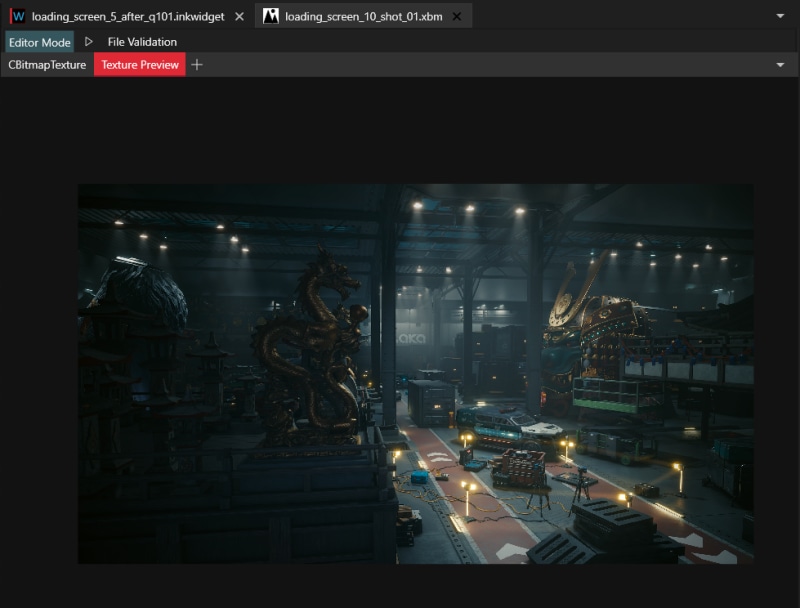
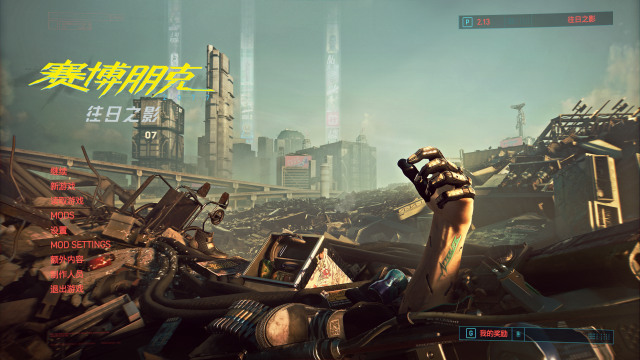
I recognised that as the background that appears after sneaking in to install the virus on the float. Here’s another example, loading_screen_5_after_q101\loading_screen_5_shot_01.xbm :

It matches the menu in my current save:
# A closer look at the inkwidget
The corresponding .inkwidget seemed the likely place to change the background. The old mod still replaced it successfully, despite the missing logo, so I could use it for comparison.
I focused on loading_screen_5_after_q101.inkwidget because I could compare it with the menu I was actually seeing. The game file is on the left, the modded file on the right:

On the right, the important file is cp_bg_alpha_faded.bk2 , the replacement Ciri animation. On the left, my background used the first shot, so I set the second and third shots aside.
smoke_loop.bk2 is a looping video of smoke.
shot_01_assets.inkatlas picks out the three light columns ( ad ) and the blinking lights ( antenna_lights ) from the texture.
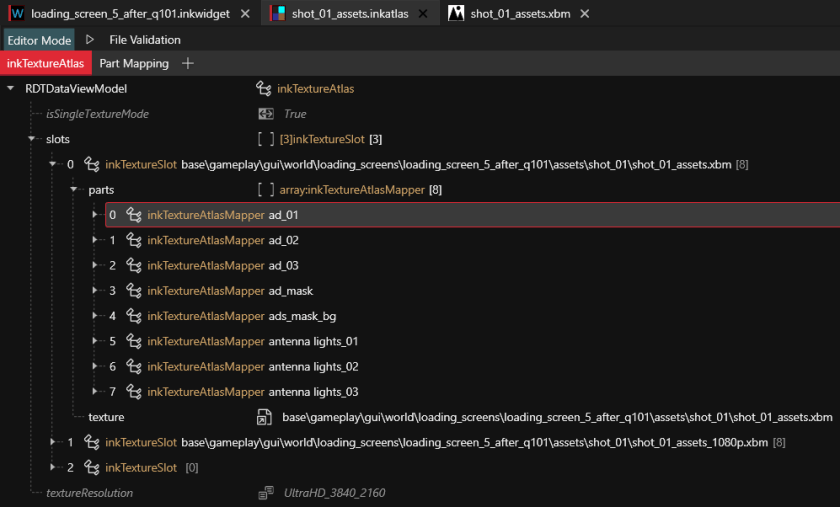
Here’s the underlying texture, short_01_assets.xbm . You can see the light effects together before the atlas separates them:

loading_screen_5_shot_01.inkatlas supplies the main background. Its four bounds run from 0 to 1, so the selected region covers the entire texture.
On the annotated menu, ① is the smoke loop and ② comes from the shot assets atlas:

For the still image in this particular scene, replacing loading_screen_5_shot_01.xbm would do it.
# Why the mod replaces every widget
Replacing that one texture wouldn’t cover the other stages of the story. Looking more closely, I found that the modded loading_screen_5_after_q101.inkwidget had the same contents as the game’s base\gameplay\gui\world\loading_screens\initial_loading_screen\initial_loading_screen.inkwidget .
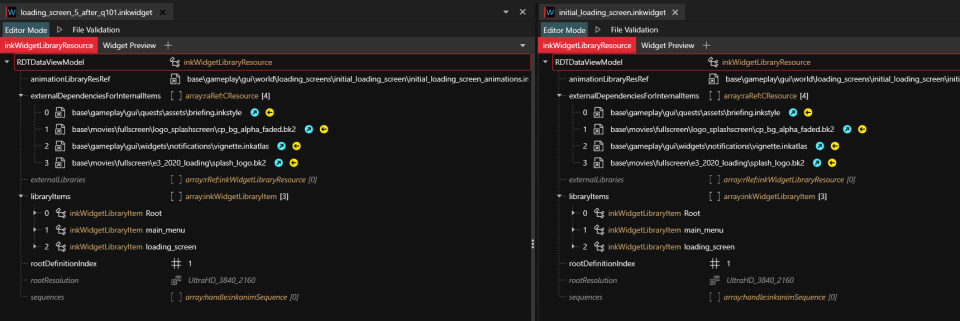
The cp_bg_alpha_faded.bk2 animation referenced by that initial widget had already been replaced with Ciri. Copying the widget into the q101 folder therefore gave that menu the Ciri background as well. The original mod did the same in every corresponding folder. If the game keeps switching backgrounds, why not replace the lot?
# Where the logo fix actually belongs
None of that detective work directly fixed the logo. I couldn’t find a logo in the original q101 widget; what I’d traced was the background replacement. But once I’d accounted for those files, the rest of the mod was much easier to inspect.
Two files stood out under base\gameplay\gui\fullscreen\main_menu\ : menu_background.xbm and menu_background_1080p.xbm . Here’s the modded texture on the left and the game’s on the right:
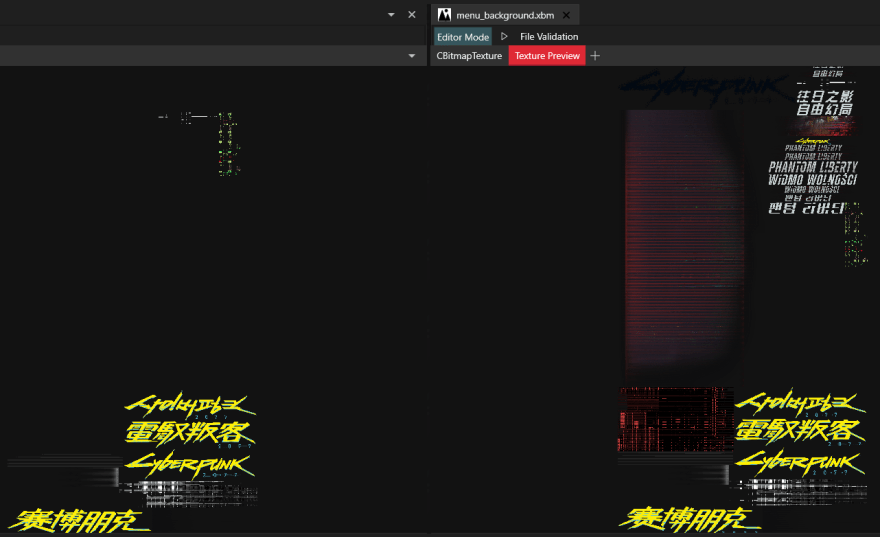
The game already has the right logo. The mod’s older textures override it. Removing both textures from the mod lets the game use its own copies.
# Update: restoring the loading animations
After fixing the logo, I loaded a save from the main menu. Usually there’s a short sequence that changes with the story. This time the entire load was black.
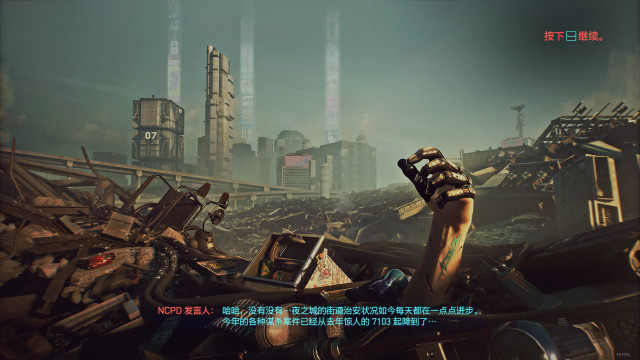
The sequence has three shots. Here are examples, in playback order:


# Why the sequence went missing
The mod replaced each story-specific widget with initial_loading_screen.inkwidget . Those original widgets also define the loading shots, as described in the inkwidget notes.
In the comparison below, the story widget has ls_01 , ls_02 and ls_03 . The initial widget only has main_menu and loading_screen .

The first remaining entry, main_menu , refers to the replacement Ciri video, cp_bg_alpha_faded.bk2 . The second refers to a different animation shown on entering the menu. The game can no longer find any of the three shots when loading a save.
# Restore the shots and replace the menu background
I started a fresh project. In Asset Browser I found the original mod’s Ciri background video, listed here as cp_bg_alpha_faded.bk2 , and added it to the project. Then I located the game’s loading_screen_5_after_q101.inkwidget and initial_loading_screen.inkwidget . I added the former to the project for editing and used Open without adding to project for the latter.
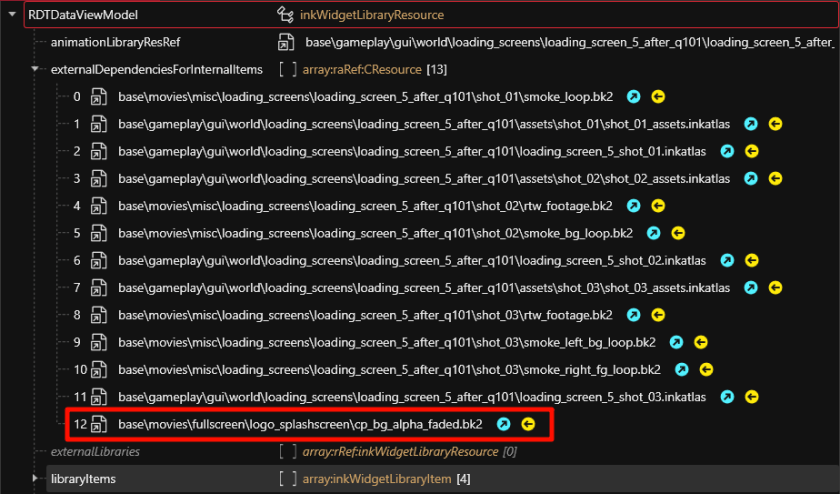
Copy the cp_bg_alpha_faded.bk2 resource from the initial widget into the q101 widget’s externalDependenciesForInternalItems :
In ls_01 → children , delete items 1–6, the layers making up the original menu background. Keep item 0, fade_to_black . It seems to handle the transition; without it the menu background animation stutters.
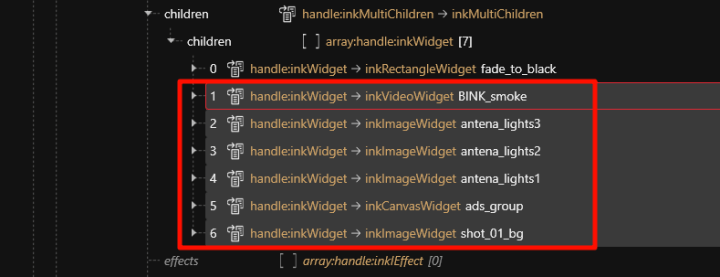
From main_menu → children in the initial widget, copy cp_bg_alpha . It points to the video that the mod has replaced with Ciri.
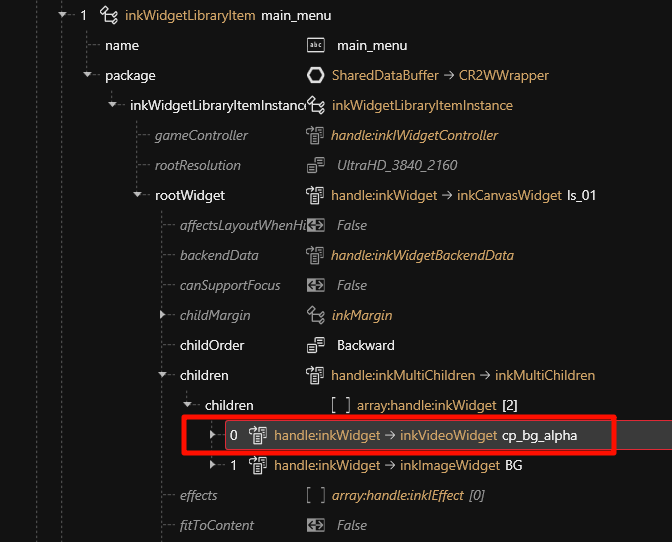
Paste it where you removed the other children in the q101 widget:
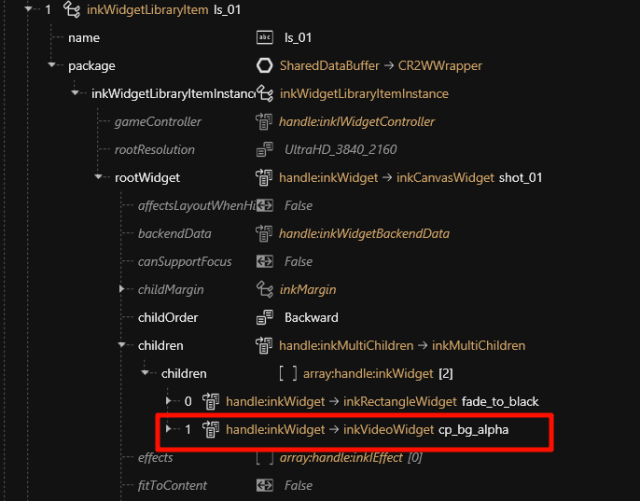
Repeat for the widgets in the other story folders under loading_screens to cover the remaining backgrounds.
One limitation remains. The main menu background and the third loading shot both use ls_01 . The first shot uses ls_02 and the second uses ls_03 . Changing ls_01 gives me the menu I wanted, but now Ciri also appears in that final shot. I haven’t found a way around that yet.