
# Crypto
# Dancing_Line
This one took a leap of imagination for a crypto challenge /_ \. A closer look at the picture helped, though.
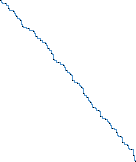
Zoom in and there’s a black dot every so often along the line:
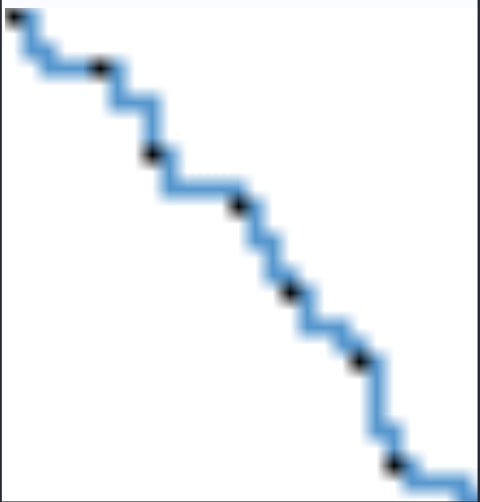
I used Python and Pillow to extract the black pixels’ coordinates:
from PIL import Image | |
img=Image.open('./Dancing_Line.bmp') | |
w,h=img.size | |
#print(w,h) | |
pos=[] | |
for i in range(w): | |
for j in range(h): | |
if img.getpixel((i,j))!=(255,255,255): | |
if img.getpixel((i,j))==(0,0,0): | |
pos.append((i,j)) | |
print(pos) |
The result was:
[(0, 0), (5, 3), (8, 8), (13, 11), (16, 16), (20, 20), (22, 26), (28, 28), (33, 31), (36, 36), (40, 40), (45, 43), (48, 48), (51, 53), (53, 59), (58, 62), (63, 65), (66, 70), (70, 74), (72, 80), (77, 83), (81, 87), (83, 93), (87, 97), (90, 102), (93, 107), (98, 110), (100, 116), (105, 119), (109, 123), (112, 128), (116, 132), (120, 136), (122, 142), (127, 145), (131, 149), (133, 155), (135, 161)]
Between consecutive black dots, the changes in the two coordinates add up to eight. I extracted every point on the line next. At each step, either the horizontal coordinate increases by one or the vertical coordinate does.
Two possible moves, eight moves between dots… That suggested binary. After a few tries I found the convention: a vertical step represents 1, a horizontal step represents 0.
Convert each group of eight bits to ASCII and out comes the flag. Here’s the complete script:
from PIL import Image | |
import binascii | |
img=Image.open('./Dancing_Line.bmp') | |
w,h=img.size | |
#print(w,h) | |
pos=[] | |
pos_all=[] | |
t='' | |
for i in range(w): | |
for j in range(h): | |
if img.getpixel((i,j))!=(255,255,255): | |
if img.getpixel((i,j))==(0,0,0): | |
pos.append((i,j)) | |
pos_all.append((i,j)) | |
#print(pos) | |
#print(pos_all) | |
for k in range(1,len(pos_all)): | |
if pos_all[k][0]-pos_all[k-1][0]==0: | |
t=t+'1' | |
elif pos_all[k][1]-pos_all[k-1][1]==0: | |
t=t+'0' | |
t=int(t,2) | |
print(t.to_bytes((t.bit_length() + 7) // 8, 'big').decode()) |
# English Novel
I got there in the end, though my first script made a mess of the punctuation. Some key positions were wrong, so what I actually got was hgame{V0_y0u_kn0w_'En0wn-pla1ntext_derzwn'?} ( ̄▽ ̄)".
I guessed the rest. It wasn’t exactly a wild guess. After reading other write-ups I went back and fixed my script.
The challenge supplied two directories, original and encrypt, plus flag.enc and encrypt.py. The first directory held shuffled excerpts from English novels, the second their shuffled ciphertexts. The flag was encrypted in the same way, and the Python file showed how.
The encryption is , so decryption is . Here is the ciphertext letter, the plaintext letter and the key. Recover the key, then decrypt flag.enc.
Since both plaintext and ciphertext excerpts are supplied, this is a known-plaintext puzzle: . The trick is matching the shuffled pairs and handling punctuation correctly. In encrypt.py a punctuation mark is left untouched, but still occupies a key position.
I used isalpha() to replace letters with asterisks while preserving punctuation. A plaintext and its ciphertext then have the same template. Once paired, they give the key at letter positions; skip punctuation when calculating a key value. Here’s my revised script:
import os | |
# 函数功能:把字母变成‘*’,保留标点符号 | |
def get_feature(s): | |
return "".join(['*' if c.isalpha() else c for c in s]) | |
# 用 original 文件夹初始化 template,并将原文保存在 txts_ori 里面 | |
path_ori='original' | |
files_ori=os.listdir(path_ori) | |
template=[] | |
txts_ori = [] | |
for file in files_ori: | |
position = path_ori+'\\'+ file | |
with open(position, "r",encoding='utf-8') as f: | |
data = f.read() | |
m=get_feature(data) | |
if len(m)!=0 and m not in template: | |
txts_ori.append(data) | |
template.append(m) | |
# 处理 encrypt 文件夹内的数据,在 template 里匹配对应的原文,得到对应的密钥 | |
keys=[-1]*410 | |
path_enc='encrypt' | |
files_enc=os.listdir(path_enc) | |
for file in files_enc: | |
position = path_enc+'\\'+ file | |
with open(position, "r",encoding='utf-8') as f: | |
data = f.read() | |
m=get_feature(data) | |
if len(m)!=0 and m in template: | |
for i in range(len(data)): | |
k=((ord(data[i])-ord(txts_ori[template.index(m)][i]))%26) | |
j=i%(len(keys)) | |
#保证每次写入 keys 时该位置没有写入过,且对应密文不是标点符号 | |
if keys[j]==-1 and m[i]=='*': | |
keys[j]=k | |
# 用 keys 解密 | |
enc="xaawr{B0_d0l_cs0m_'Pp0mn-odn1vpabt_deqzcq'?}" | |
result = "" | |
for i in range(len(enc)): | |
if enc[i].isupper(): | |
result += chr((ord(enc[i]) - keys[i] - ord('A')) % 26 + ord('A')) | |
elif enc[i].islower(): | |
result += chr((ord(enc[i]) - keys[i] - ord('a')) % 26 + ord('a')) | |
else: | |
result += enc[i] | |
print(result) |
# Easy RSA
This was a textbook RSA exercise. The challenge gave us everything, even the primes and . Here’s my calculation:
import gmpy2 | |
from Crypto.Util.number import long_to_bytes | |
string=[] | |
for (e,p,q,c) in [(12433, 149, 197, 104), (8147, 131, 167, 6633), (10687, 211, 197, 35594), (19681, 131, 211, 15710), (33577, 251, 211, 38798), (30241, 157, 251, 35973), (293, 211, 157, 31548), (26459, 179, 149, 4778), (27479, 149, 223, 32728), (9029, 223, 137, 20696), (4649, 149, 151, 13418), (11783, 223, 251, 14239), (13537, 179, 137, 11702), (3835, 167, 139, 20051), (30983, 149, 227, 23928), (17581, 157, 131, 5855), (35381, 223, 179, 37774), (2357, 151, 223, 1849), (22649, 211, 229, 7348), (1151, 179, 223, 17982), (8431, 251, 163, 30226), (38501, 193, 211, 30559), (14549, 211, 151, 21143), (24781, 239, 241, 45604), (8051, 179, 131, 7994), (863, 181, 131, 11493), (1117, 239, 157, 12579), (7561, 149, 199, 8960), (19813, 239, 229, 53463), (4943, 131, 157, 14606), (29077, 191, 181, 33446), (18583, 211, 163, 31800), (30643, 173, 191, 27293), (11617, 223, 251, 13448), (19051, 191, 151, 21676), (18367, 179, 157, 14139), (18861, 149, 191, 5139), (9581, 211, 193, 25595)]: | |
d = int(gmpy2.invert(e, (p-1)*(q-1))) | |
m = pow(c, d, p*q) | |
string.append(long_to_bytes(m).decode()) | |
Str=''.join(string) | |
print(Str) |
# Misc
# A troublesome archive
This one managed to fit a whole collection of introductory archive puzzles into a single challenge.
# Brute force
All three files in the first archive were marked encrypted. I wondered whether it was a weak password or just an encryption flag in the header. Opening it in 010 Editor revealed a hint at the end:
Pure numeric passwords within 6 digits are not safe!
With ARCHPR’s search restricted to digits, the challenge password was 483279 .
# Dictionary search
That opened three files: flag.zip, password-note.txt and README.txt. The next archive asked for another password. The README said:
I don't know if it's a good idea to write down all the passwords.
That made password-note.txt the obvious candidate list. ARCHPR’s dictionary search found the matching entry:
&-`;qpCKliw2yTR\ |
I also tried writing a script and got the same result:
import zipfile | |
zip_file = zipfile.ZipFile('flag.zip') | |
zip_list = zip_file.namelist() | |
f=open('password-note.txt', "r") | |
lines = f.readlines() | |
for password in lines: | |
try: | |
zip_file.extractall(path='Test', pwd=password[:-1].encode('utf-8')) | |
print("the password is {}".format(password[:-1])) | |
except: | |
#print("the password is {}".format(password[:-1])) | |
continue |
# Known plaintext
Inside were another flag.zip and README.txt… (/▽\). This archive held an encrypted flag.jpg and README.txt. Both copies of README.txt were 68 KB, which suggested a known-plaintext puzzle.
The README contained another hint:
If you don't like to spend time compressing files, just stores them.
The archive used ZipCrypto with the Store method. I put the supplied README.txt in a ZIP without compression and compared the two entries’ CRCs. Both were 966AC0E8 .
I used ARCHPR’s known-plaintext mode. After about one or two minutes I could stop the run; I didn’t have to wait for it to finish.
# A misleading encryption flag
The resulting ZIP opened without a password and yielded this flag.jpg:

7-Zip could actually open flag.jpg again, revealing another flag.jpg inside ( ̄_, ̄ ). There was an archive appended to the image. Extracting it with binwalk gave me 4FC5.zip.
I’m still not sure why 7-Zip wouldn’t open that extracted archive directly. Testing showed the encryption flag was misleading. Changing the highlighted field to 00 was enough:

Finally, the flag:

# A nice little packet capture
In Wireshark I right-clicked and chose Follow → TCP Stream. The stream contained a Base64-encoded image:
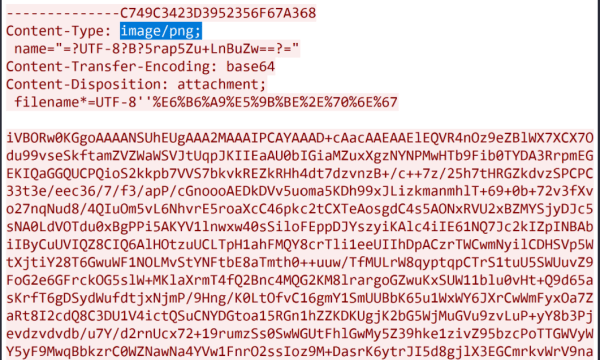
An online Base64 image decoder gave me this:

StegSolve’s G2 plane contained a barcode:
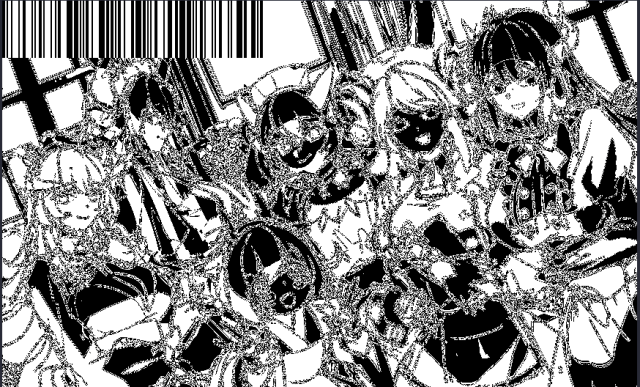
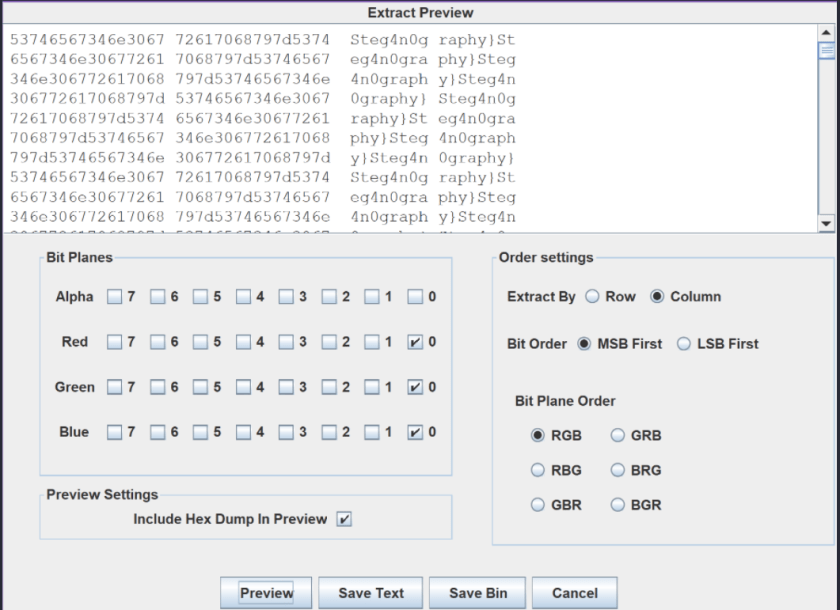
I saved it and used a barcode reader to get the first half, hgame{ez_1mg_ . Then I used Analyse → Data Extract with the settings shown below to get Steg4n0graphy} .
# Ultramarine (actually Ghost City Tokyo)
The WAV file’s properties contained a hint:

It pointed to SilentEye. Decoding directly didn’t produce the right result, so I suspected a password.
In Audacity I switched to the spectrogram:
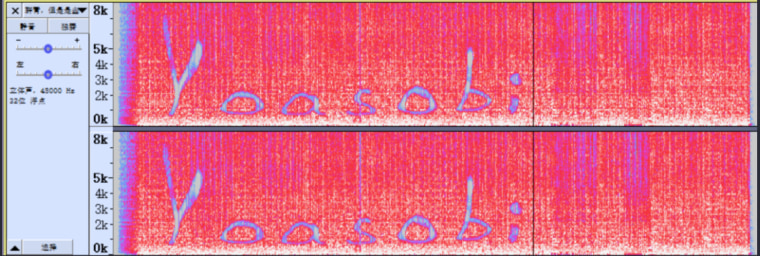
I guessed the key was Yoasobi . Decoding produced a URL that looked like an audio download:
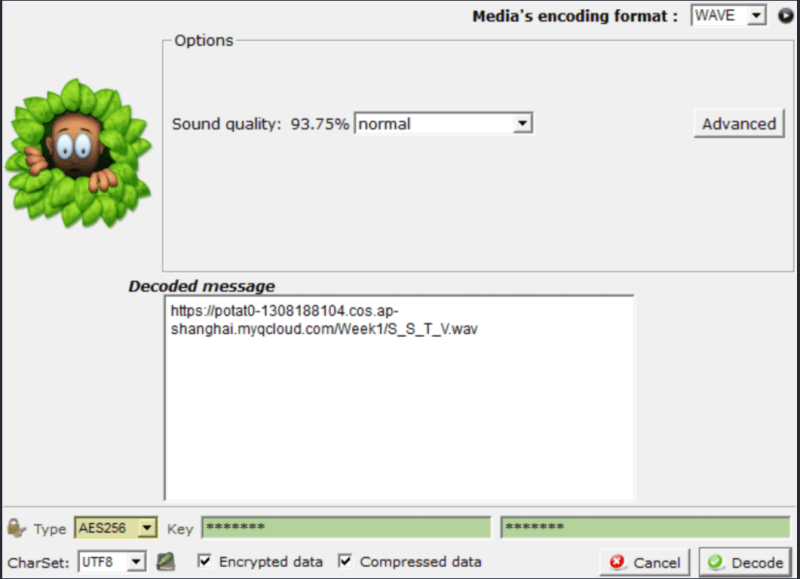
The file was called S_S_T_V.wav. SSTV stands for slow-scan television, a way to send still images as audio over radio, used by amateur radio operators for monochrome and colour pictures.
I was going to use RX-SSTV, but on my computer that seemed to mean setting up Virtual Audio Cable. Too much bother ( ╯□╰ ). Instead I installed Robot36 on my phone, played the file on the computer and let the phone listen. This was the result:
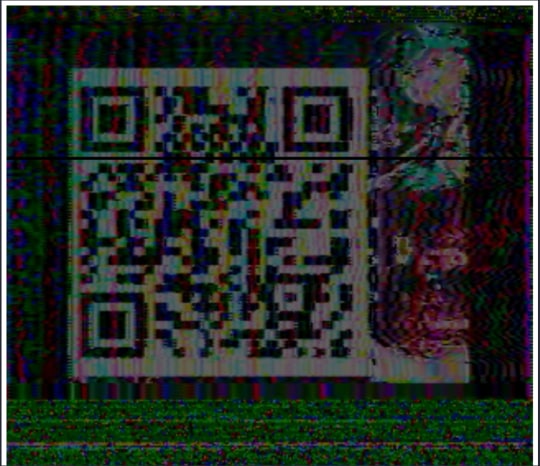
Scanning the code gave hgame{1_c4n_5ee_the_wav} .